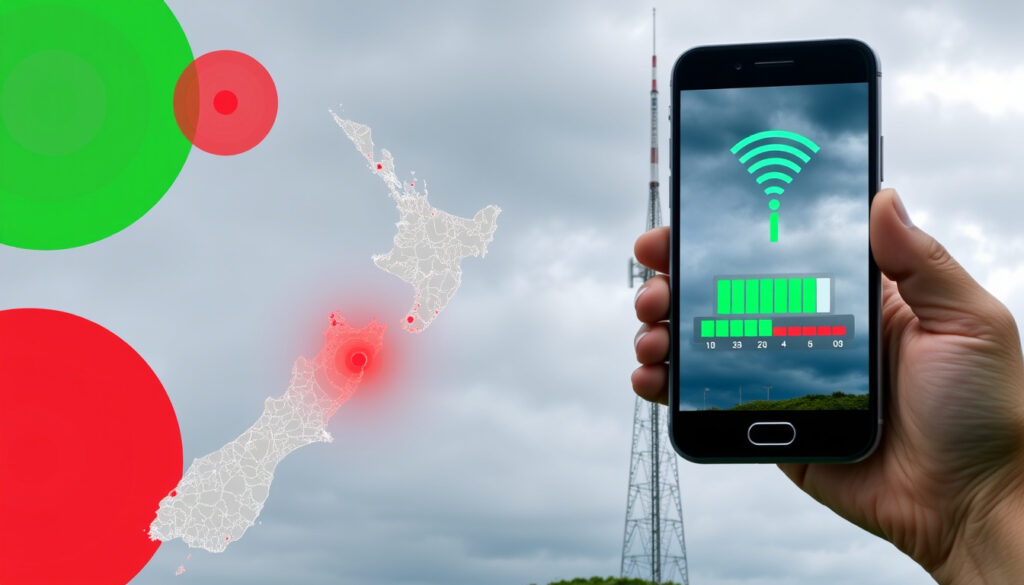
One NZ Outage Map: Check Network Status Near You
When your internet or mobile data drops out in New Zealand, the first question is usually “is it just me, or is there a wider problem?” Whether you’re in Auckland, Christchurch, or a smaller town, knowing exactly where the fault lies can save hours of frustration. One NZ’s official outage map gives you the network’s own view, while tools like Downdetector add real-time crowd-sourced reports. This article walks you through both, plus what to do when the map says everything is fine but your connection isn’t.
Official outage checker: one.nz/help/network-status ·
Third‑party reports: Downdetector.co.nz (One NZ) ·
Most reported locations: Auckland, Christchurch, Westport, Wellington ·
Recent major outage: 18 May 2026 – mobile calls restored
Quick snapshot
- Check planned and unplanned outages via One NZ’s own map (One NZ Network Status)
- Enter your address or city for location-specific details (One NZ Network Status)
- Community‑sourced outage data for One NZ (Downdetector NZ)
- Map of most reported locations and problem timeline (Downdetector NZ)
- Use My One NZ app to report issues (One NZ Network Status)
- Call 0800 800 020 for customer service (One NZ FAQ)
Four key resources, one pattern: official data is authoritative but slower; crowd-sourced data is faster but less precise. Below are the essential details in one table.
| Item | Value |
|---|---|
| Official Status Page | one.nz/help/network-status |
| Third‑Party Downdetector | downdetector.co.nz/status/onenewzealand |
| Recent Major Outage | 18 May 2026 – mobile calls restored |
| Customer Service | 0800 800 020 |
| Coverage Map (2G/3G shutdown) | Completed 23 March 2026 (One NZ Mobile Coverage) |
| Broadband Troubleshooting first step | Check network status (One NZ Broadband Troubleshooting) |
| Farmside RBI customers | Use One NZ Mobile and Wireless Broadband Outage map (Farmside Support) |
| Christchurch Review explainer | Official status page is primary source (Christchurch Review) |
The implication: you need both sources to get the full picture.
How to check the One NZ outage map?
Visit the official network status page
- Open one.nz/help/network-status in any browser – the page loads a map showing both planned maintenance and unplanned outages (One NZ Network Status).
- One NZ’s FAQ confirms this is the central place to check for outages in your area (One NZ FAQ).
Enter your address or location
- Type a street address or postcode into the search bar on the map – it zooms to your area and highlights any current issues (One NZ Network Status).
- The map covers mobile, wireless broadband, landline, fixed broadband, Rural Broadband services, the My One NZ app, and other network events (One NZ Network Status).
View planned and unplanned outage info
- Planned outages (like maintenance upgrades) are listed ahead of time with expected duration (One NZ Network Status).
- Unplanned outages appear as they are detected; One NZ updates the status as it investigates and resolves (One NZ Network Status).
- After the 2G/3G shutdown on 23 March 2026, the map also reflects the new 4G/5G coverage footprint (One NZ Mobile Coverage).
What are One NZ problems today?
Check Downdetector for real‑time reports
- Visit Downdetector NZ – One New Zealand to see user-reported problems updated every few minutes (Downdetector NZ).
- The page includes a map showing the most reported locations; during major incidents, Auckland, Christchurch, Westport, and Wellington typically appear (Downdetector NZ).
Look for official One NZ updates
- One NZ often posts updates on its social media channels and within the Network Status page (One NZ Network Status).
- During the 18 May 2026 mobile outage, One NZ confirmed service restoration via RNZ (RNZ).
Read recent news articles
- RNZ reported that a One NZ upgrade caused internet outages for Auckland and Northland customers on 17 June 2025, lasting about an hour from 11am (RNZ).
- 1News detailed a widespread lower North Island outage on 6 June 2025 caused by human error during Chorus planned works, affecting approximately 118,000 services at peak (1News).
- Downdetector recorded a large spike in reports for Spark, One NZ, Skinny, and 2degrees during that same incident (1News).
Crowd-sourced data gives you a pulse within minutes. The trade-off: Downdetector can’t tell you if your specific address is affected – only that many people in your city are reporting issues. The combination of official map + Downdetector is far more reliable than either alone.
The pattern: during the June 2025 incidents, Downdetector spikes preceded any official acknowledgement.
How to use Downdetector for One NZ outages?
Go to the Downdetector One NZ page
- Open downdetector.co.nz/status/onenewzealand – the page loads a live report chart and a map (Downdetector NZ).
- You can also add a postcode or address for a more detailed local view (Downdetector NZ).
View the outage map and problem timeline
- The map pinpoints cities with the highest report density – click a pin to see recent comments (Downdetector NZ).
- A timeline graph shows report volume over the past 24 hours, helping you spot sudden spikes that often indicate a new outage (Downdetector NZ).
Share your own report if you experience issues
- Click “I have a problem” on the Downdetector page to submit a report – this helps others see that the issue isn’t isolated (Downdetector NZ).
- Reports are anonymous and aggregated instantly into the map and timeline (Downdetector NZ).
How to report an internet outage to One NZ?
First check the network status page
- One NZ’s broadband troubleshooting help page explicitly begins with the instruction to check for network outages first (One NZ Broadband Troubleshooting).
- If the official map shows no issues, the problem is likely local – your modem, wiring, or internal network (One NZ Broadband Troubleshooting).
Use the My One NZ app
- Download or open the My One NZ app on your smartphone – it includes a reporting feature that sends diagnostic info to support (One NZ Network Status).
- The app can also show outage alerts for your saved location (One NZ FAQ).
Call One NZ customer service
- If the map shows no outage and your app diagnostics pass, call 0800 800 020 to speak with a representative (One NZ FAQ).
- For business customers or RBI customers, Farmside directs users to the same One NZ Mobile and Wireless Broadband Outage map as the most up‑to‑date source (Farmside Support).
The best use of your time: check official map, then Downdetector, then app – in that order. Calling support should be the last resort because it relies on the same internal status data you already have.
The catch: your report might be the one that prompts One NZ to update its status faster.
Is there a One NZ outage near me?
Check specific locations: Christchurch, Auckland, Wellington
- The official map covers all of New Zealand – enter a city name or address to zoom in (One NZ Network Status).
- Downdetector shows real‑time crowd‑sourced data for specific cities; during the 18 May 2026 mobile outage, RNZ reported country‑wide effects (RNZ).
Use the official map with address lookup
- Type your full address or postcode into one.nz/help/network-status – the map highlights any active issues within that area (One NZ Network Status).
- The coverage map is intended to show outdoor coverage and gives general guidance, not a guarantee of connection quality (One NZ Mobile Coverage).
Also monitor Downdetector for your area
- On the Downdetector One NZ page, hover over the map pins to see which suburb or city is reporting the most problems (Downdetector NZ).
- For rural areas, One NZ’s map also covers Rural Broadband – the coverage map post-2G/3G shutdown may show gaps, so check both tools (One NZ Mobile Coverage).
One NZ’s mobile coverage map explicitly states it “gives general guidance rather than a guarantee of connection quality.” That same disclaimer applies to the outage map: it may not reflect every momentary drop. If you see a Downdetector spike but the official map shows green, wait 15 minutes and refresh – sometimes the official map lags.
What this means: the gap between tools is where you lose time during an outage.
Timeline signal
- 23 March 2026 – One NZ completed its 2G and 3G shutdown, shifting all services to 4G/5G (One NZ Mobile Coverage).
- 18 May 2026 – A widespread mobile outage affected One NZ customers nationwide; service was fully restored by evening (RNZ).
- 17 June 2025 – A One NZ upgrade caused internet outages in Auckland and Northland lasting about an hour from 11am (RNZ).
- 6 June 2025 – Human error during Chorus planned works caused a lower North Island outage, affecting approximately 118,000 services, with Downdetector showing spikes across multiple providers (1News).
Confirmed facts
- One NZ official network status page exists at one.nz/help/network-status (One NZ Network Status)
- Downdetector.co.nz tracks user‑reported One NZ problems (Downdetector NZ)
- On 18 May 2026 RNZ reported a country‑wide mobile outage that was later resolved (RNZ)
- One NZ’s 2G/3G shutdown completed on 23 March 2026 (One NZ Mobile Coverage)
- One NZ broadband troubleshooting starts by checking network status (One NZ Broadband Troubleshooting)
- Human error caused the 6 June 2025 lower North Island outage affecting ~118,000 services (1News)
What’s unclear
- Exact cause of the 18 May 2026 mobile outage
- Future outage frequency or locations
- Accuracy of Downdetector vs official map in real time
- Whether the 2G/3G shutdown has increased network fragility
Quotes from experts
“One New Zealand says its mobile calling services have been fully restored.”
— One NZ spokesperson, RNZ report on 18 May 2026 outage
“Approximately 118,000 services were affected at the peak of the outage.”
— Chorus, as reported by 1News on 6 June 2025
“The Network Status page is the primary source for planned and unplanned outages.”
— Christchurch Review explainer
“Downdetector showed a large spike in outage reports for Spark, One NZ, Skinny, and 2degrees.”
— 1News on 6 June 2025
The pattern across these sources: official statements confirm restoration, independent journalism captures the scale, and third‑party tools show the real‑time human impact. No single source tells the whole story.
For New Zealanders who rely on One NZ for mobile and broadband, the choice is clear: bookmark the official status page and Downdetector side by side. When you spot a Downdetector spike, cross‑check the official map – if it’s quiet, submit a report anyway. Your report might be the one that prompts One NZ to update its status faster. Ignoring the gap between the two tools means losing time during an outage that could be minutes, not hours.
one.nz, one.nz, geoblackout.com, geoblackout.com, linkedin.com, farmside.co.nz, incidenthub.cloud
Frequently asked questions
How often is the One NZ outage map updated?
One NZ states the Network Status page is updated as the company investigates and resolves issues – typically within minutes for major events, but can be slower for isolated problems (One NZ Network Status).
Does the One NZ outage map show planned maintenance?
Yes – the map clearly separates planned outages (shown with advance notice) from unplanned ones (One NZ Network Status).
Can I get alerts for outages in my area?
One NZ does not currently offer SMS or email alerts for all outages. The My One NZ app may send notifications for major events affecting your saved location (One NZ FAQ).
What should I do if my internet is down but the map shows no outage?
Follow One NZ’s broadband troubleshooting steps: reboot your modem, check cables, and run the diagnostic in the My One NZ app. If the problem persists, call 0800 800 020 (One NZ Broadband Troubleshooting).
Is the One NZ outage map accurate?
The official map is the most authoritative source for outages One NZ knows about. However, it may not reflect every momentary drop, and the coverage map explicitly states it gives general guidance only (One NZ Mobile Coverage).
How long do One NZ outages typically last?
Duration varies widely. The June 2025 Auckland/Northland outage lasted about an hour; the lower North Island outage on 6 June 2025 lasted over an hour; the 18 May 2026 mobile outage was resolved by evening (RNZ, 1News).
Does One NZ offer compensation for outages?
One NZ’s standard terms do not automatically credit for outages. Business customers on service‑level agreements (SLAs) may have recourse. For personal accounts, contact customer service to inquire (One NZ FAQ).
More related posts
 Best Website Design Company in Auckland: Top Clutch Picks
 Palmerston North Airport Departures: Live Status, Airlines & Tips
 Matariki Stars Names and Meanings: Complete Guide to the 9 Whetū
 Retirement Villages Near Me: Ireland Guide to Costs & Options
 Word Finder with Letters: Unscramble, Solve & Find Words Fast
 EB Games St Lukes Closing: Final Day, Reasons & What’s Next
 Tesla Share Price Robinhood: Live TSLA Stock at $441.67