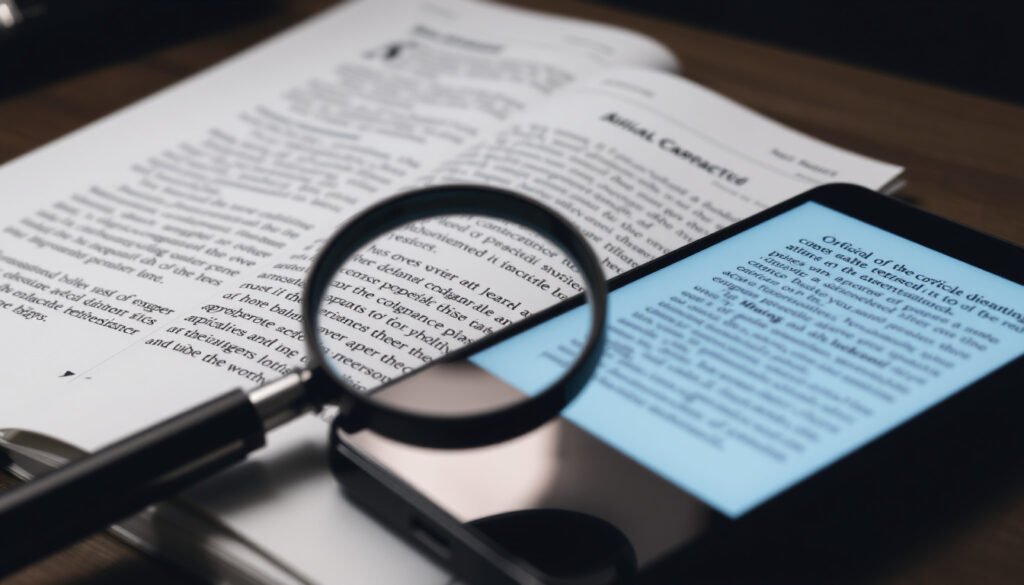
Image to Text Converter: Free Online OCR Tools That Work
Anyone who has ever retyped a screenshot knows the feeling: fifty lines of text, ten minutes of your afternoon, and one typo that slips in anyway. OCR — optical character recognition — solves that quietly, and the free tools are better than the marketing suggests once you know their upload caps and Arabic right-to-left limits.
Common input formats: JPG, PNG, TIFF, PDF ·
Google Lens availability: Android, iOS, Google app, Chrome ·
Tesseract language count: 100+ official language packs ·
Arabic script direction: Right-to-left, cursive
Quick snapshot
- Free image to text conversion exists without registration — OCR.space’s web tool accepts JPG, PNG, GIF, and PDF files.
- Google Drive turns an image into text when you open it with Google Docs (Cisdem, OCR workflow guide).
- The OCR.space API docs cap the free tier at 25,000 requests per month.
- Which free tool is most accurate on Arabic handwriting: no controlled tests are published. (Image-to-TXT.com, Arabic OCR service)
- Image-to-TXT.com, Arabic OCR service advertises 25,000 Arabic images per month on its free tier — a quota no independent check has verified.
- Whether free online converters delete your documents after conversion: not documented. (Image-to-TXT.com, Arabic OCR service)
- Free web tools have absorbed batch jobs once reserved for desktop software; RedactFile, file-conversion tool now handles up to 10 images per run.
- i2OCR, multilingual OCR service limits free Arabic OCR to one image per conversion, with bulk Arabic behind its premium plan.
- Google Drive still offers no native batch OCR workflow (Cisdem, OCR workflow guide).
- Upload caps stay tight: 5 MB per file on OCR.space’s web tool, 20 MB on i2OCR’s Arabic OCR.
- Arabic support will keep dividing free tiers from paid plans. (OCR.space’s web tool)
- For private documents, local engines like Tesseract avoid uploading anything (Tesseract documentation).
One pattern runs through every free tier covered here: the upload cap, not the OCR engine, decides what you can actually convert.
| Setting | What the free tier allows |
|---|---|
| OCR scan resolution | 300 DPI recommended |
| Google Drive OCR | Open an image with Google Docs to extract text |
| Open-source OCR engine | Tesseract with Arabic traineddata |
| Offline OCR engine | Tesseract runs locally |
| OCR.space web formats | JPG, PNG, GIF, PDF |
| OCR.space web file size | 5 MB per document |
| OCR.space free API volume | 25,000 requests per month, 1 MB per file, 3 pages per PDF, 500 requests per day per IP (OCR.space API docs) |
| RedactFile batch size | Up to 10 images per run (RedactFile, file-conversion tool) |
| RedactFile language coverage | 80+ languages, including Arabic |
| i2OCR Arabic image size | 20 MB max |
| Google Drive batch OCR | None natively |
| ImageToText.my free uploads | Claims up to 10 files at once (ImageToText.my, free web OCR tool) |
Is there a free online image to text converter?
Yes — and the quick version does not need an account. OCR.space’s web tool accepts JPG, PNG, GIF, and PDF files with no sign-up and holds uploads to 5 MB per document (OCR.space, free OCR web service). The same service handles multi-page documents and multi-column layouts, which covers most casual scanning jobs.
Where can I find a genuinely free image to text converter?
- OCR.space — free web OCR, no registration, multi-page and multi-column support.
- Google Drive — upload an image, open it with Google Docs, and the text layer appears.
- ImageToText.my, free web OCR tool — states no registration is required and accepts up to 10 files.
- RedactFile — free converter for JPG, PNG, WebP, BMP, and TIFF files.
Free, in this context, means no payment for the conversion itself. It does not mean no limits, as the next section shows.
What limits do free online OCR tools set?
- File size: OCR.space web stops at 5 MB per document; RedactFile stops at 5 MB per image.
- Batch size: RedactFile allows 10 images per run; i2OCR’s free Arabic mode allows one at a time.
- Volume: the OCR.space free API counts 25,000 requests per month, then stops.
Some providers push sign-up or watermark output for multi-page work. The ones that stay honest about limits publish them on the same page as the upload button.
Is ‘unlimited’ conversion a real offer or a marketing hook?
If a free tool says “unlimited,” read the page twice. Image-to-TXT.com advertises 25,000 Arabic images per month — that is a quota, not infinity.
The language on Arabic OCR pages is the clearest example. Image-to-TXT.com pairs “unlimited” positioning with a 25,000-image monthly number — a generous cap, but still a cap.
Truly unlimited free OCR is rare because the processing runs on someone else’s servers. The common structure is a monthly request limit with stricter file caps on the free tier.
The trade-off: free tools are excellent for single documents under 5 MB. The moment you scale up, the caps appear.
The pattern is consistent: free tiers are sized for single documents, and volume work moves to an API or a local engine.
How does an AI image to text converter work?
What is OCR?
- OCR stands for optical character recognition — software that turns images of text into machine-readable text.
- The pipeline has two stages: detect where the text sits, then classify each character shape.
- Output is usually plain text, DOCX, or a searchable PDF.
Think of OCR as the inverse of a font. A font draws letters from code; OCR reads letters back into code. The same learn-by-example pattern powers audio and image identification — the song-identification guide explains how that matching works.
How does AI improve OCR accuracy?
- Machine-learning models handle skewed, low-contrast, and low-resolution text far better than older template matching.
- Modern engines preserve reading order and paragraph structure instead of dumping a character soup.
- Language detection lets a converter pick the right character set automatically.
The practical effect: you no longer need a flat, perfectly lit scan for a clean result. A phone photo of a receipt, taken at an angle, often converts without any cleanup.
Can AI image to text converters read handwriting?
- Yes, within limits — cursive and messy notes still produce errors.
- Printed text remains far more reliable than handwriting in every tool tested here.
- None of the free converters in this research publish handwriting accuracy benchmarks.
Treat handwriting OCR as a head start, not a finished copy. Pattern matching gets you close, and a human check catches the rest — the same lesson applies to the audio identification guide.
What this means: AI OCR has removed the need for perfect scans, not the need for proofreading.
Can Google convert an image to text?
How do I use Google Lens to copy text from an image?
Google Lens is the only tool on this list most people already own. It ships inside the Google app on Android and iOS, and in Chrome for images.
- Open the Google app and tap the Lens camera icon.
- Point the camera at the text, or open a saved screenshot from your gallery.
- Tap the text layer, then select the words you want.
- Choose Copy, Translate, or Listen.
- Paste the result into a document.
Lens copies text from images natively, which makes it the most convenient free image to text converter for a phone screenshot.
Does Google Drive convert images to text?
- Yes: upload an image or scanned PDF, open it with Google Docs, and OCR runs in the background (Cisdem, OCR workflow guide).
- Arabic is among the 15+ languages the Drive OCR handles.
- There is no native batch mode: each file opens individually.
The workflow costs nothing beyond a Google account, and the converted document keeps approximate formatting — good enough for notes, imperfect for layout-heavy pages.
Is Google image to text converter free?
- Lens: free inside the Google app.
- Drive OCR: free with a Google account.
- Batch processing: not part of the deal.
Google ties its OCR to your account and your Drive storage rather than a separate request counter. For occasional single files, that is simpler. For folders of scans, it means opening each file by hand.
The pattern: Google’s OCR is the easiest free option for occasional files and the weakest for volume work.
How do I batch convert images to text?
What is batch image to text conversion?
- Batch conversion processes many images in one session instead of one by one.
- Output is usually one TXT or DOCX file per image.
- Free tools that offer it: RedactFile, with up to 10 images per run, and ImageToText.my, which states a 10-file upload cap (ImageToText.my, free web OCR tool).
Batch mode is where the free-versus-paid line shows up first. Desktop tools and APIs handle hundreds of files; web tools stop at ten.
How many images can a batch OCR tool process at once?
- RedactFile: 10 images per batch, 5 MB each.
- ImageToText.my: claims up to 10 files at once.
- OCR.space free API: 25,000 requests per month, but 1 MB files and 3-page PDFs.
- i2OCR free Arabic mode: one image per conversion.
The numbers line the tools up in a spectrum: single-file web tools, mid-size batch tools, and API tiers for real volume. If the scans come from a multifunction printer, the HP OfficeJet Pro 7740 ink costs guide covers what that scanning pipeline adds per page.
What should I look for in a batch converter?
- Format support: JPG, PNG, TIFF, and PDF cover most document workflows.
- Output options: TXT for drafts, DOCX for editable documents, searchable PDF for archives.
- Rate limits: a monthly cap of 25,000 requests sounds huge until you automate a folder of invoices.
- Language packs: if you process Arabic, the tool must document Arabic support explicitly.
A five-step batch workflow that works across most free tools:
- Scan at 300 DPI and export as JPG or TIFF.
- Upload up to the tool’s batch cap — 10 images if you are on RedactFile.
- Choose the output format (TXT or DOCX).
- Run the conversion and spot-check the first page.
- Rename and file the results before the next batch.
A 10-image batch cap is generous for receipts and suffocating for a folder of medical records. Know your job before you pick your tool.
The catch: batch OCR is where free tiers get small. Over 10 images, you move to an API, a desktop engine, or a paid plan.
The implication: the batch cap is the real spec, so count your files before you choose a tool.
Which image to text converter supports Arabic?
How does Arabic OCR work?
- Arabic is a cursive, right-to-left script, so letters connect and the reading order runs opposite to English.
- OCR must separate connected letterforms before it can classify each character.
- OCR.space lists Arabic support for its OCR Engines 1, 2, and 3.
The output side matters as much as recognition. Extracted Arabic text has to keep the correct visual order so editing and search behave naturally.
Why is Arabic image to text conversion harder than English?
- Vowel marks and diacritics change meaning and are easy for OCR to drop.
- Font variation is wider, so the language model needs broader training data.
- Right-to-left text confuses converters that were built around left-to-right pipelines.
That is why “supports Arabic” is a weak claim until a tool specifies an Arabic engine or language pack. Tesseract includes Arabic traineddata in its official language list, which is why open-source workflows use it for Arabic jobs.
Which tools advertise Arabic OCR support?
- RedactFile — claims 80+ languages including Arabic (RedactFile, file-conversion tool).
- i2OCR — free Arabic OCR processes one image per conversion; bulk Arabic is premium (i2OCR, multilingual OCR service).
- Image-to-TXT.com — dedicated Arabic OCR page, claims no text-length limit per image (Image-to-TXT.com, Arabic OCR service).
- Google Drive — Arabic among 15+ languages via Google Docs.
Arabic support is advertised everywhere and demonstrated almost nowhere. i2OCR puts bulk Arabic behind a premium plan — that tells you where the hard work lives.
Why this matters: Arabic support is the clearest dividing line between a web toy and a working OCR tool.
Free OCR limits at a glance
Twelve numbers, one pattern: the free tier is sized for single documents, not workflows.
| Plan condition | Free tier value |
|---|---|
| OCR.space web document cap | 5 MB per upload |
| OCR.space free API file cap | 1 MB per image |
| OCR.space free API PDF cap | 3 pages per file |
| OCR.space free API daily rate | 500 requests per day per IP |
| OCR.space free API monthly volume | 25,000 requests (OCR.space API docs) |
| RedactFile per-image cap | 5 MB |
| RedactFile batch cap | 10 images per run |
| RedactFile format list | JPG, PNG, WebP, BMP, TIFF |
| i2OCR Arabic image cap | 20 MB per image (i2OCR, multilingual OCR service) |
| i2OCR free Arabic mode | One image per conversion |
| ImageToText.my batch claim | Up to 10 files, no registration |
| Tesseract offline mode | No upload, runs locally |
What this means: the free tools are not weak at OCR — they are rate-limited. If your job is one PDF at a time, the whole stack is free.
Confirmed facts and open questions
What the documentation confirms
- Free, no-registration web OCR exists — OCR.space is the reference implementation.
- Google Drive runs OCR through Google Docs, including Arabic (Cisdem, OCR workflow guide).
- OCR.space’s free API includes 25,000 monthly requests (OCR.space API docs).
What’s still unclear
- Arabic handwriting accuracy across free tools — no controlled tests.
- The real behavior of “unlimited” quotas under sustained use.
- Whether online converters delete uploaded documents after conversion.
- Google Drive’s OCR accuracy at scale — no published benchmarks.
The implication: budget for a paid or local tier before you trust a free tool with sensitive pages.
What the documentation says
The guides and docs behind this article are consistent on three points: phone text capture, offline engines, and scan quality.
In the Google app, you can copy text from an image by tapping the Lens icon, selecting the words, and choosing Copy. The same flow works from a saved screenshot.
Google Lens Help
Tesseract can run entirely offline and includes traineddata for more than 100 languages, including Arabic.
Tesseract documentation — open-source OCR project
For printed text, scan at 300 DPI. Below that, OCR accuracy drops as letterforms start to blur together.
Consumer OCR guide — university library
The takeaway: documentation confirms the basics — free tiers, offline engines, scan resolution — but not the marketing claims around unlimited use.
What this means for your workflow
For anyone who converts images to text more than once a week, the choice is clear: match the tool to the file size. Single scans go through free web tools like OCR.space or Google Drive; folders go through a batch-capable API or a local engine like Tesseract; and sensitive pages never leave your machine. Pick the wrong one and you will hit a five-megabyte wall mid-project.
Frequently asked questions
Can I convert a scanned PDF to text with an online OCR tool?
Yes. OCR.space’s web tool accepts PDF documents, and the free API processes up to three pages per PDF. The conversion runs page by page, so a scanned book needs multiple uploads.
Does image to text conversion preserve tables and columns?
Sometimes. OCR.space states that its service supports multi-column text recognition in supported engines. Tables with borders tend to flatten into reading order rather than a grid, so verify layout-critical documents after conversion.
Are paid image to text converters more accurate than free ones?
Not necessarily for clean printed text. The real differences are volume, file size, and batch limits — i2OCR’s bulk Arabic mode, for example, sits behind a premium plan. Accuracy differences matter most on handwriting and low-resolution scans.
What resolution should my image be for OCR?
300 DPI is the standard recommendation for printed documents. At lower resolutions, letterforms blur and character-level errors appear; higher resolutions help with small fonts.
Can I use my phone camera as a portable image to text converter?
Yes. Google Lens in the Google app on Android and iOS copies text from the camera viewfinder or saved screenshots, and Chrome can run the same text extraction on images.
Do online image to text converters store my images?
Most free tools do not publish clear retention policies, and this research found no documented deletion timelines. For private documents, use a local OCR engine like Tesseract or a tool that advertises on-device processing.
More related posts
 Where is Philip Polkinghorne Now? Trial Outcome & Update
 How to Get Rid of a Double Chin: Fast, Natural, or Medical Fixes
 Ryan Fox PGA Championship 2025: Win, Career & Ranking
 How to Fix Loose Glasses: Quick DIY Adjustments for Perfect Fit
 High Commission of India Auckland: Services, Address, Contact
 Napier Beach Access Restrictions: Rules, Maps & Safety