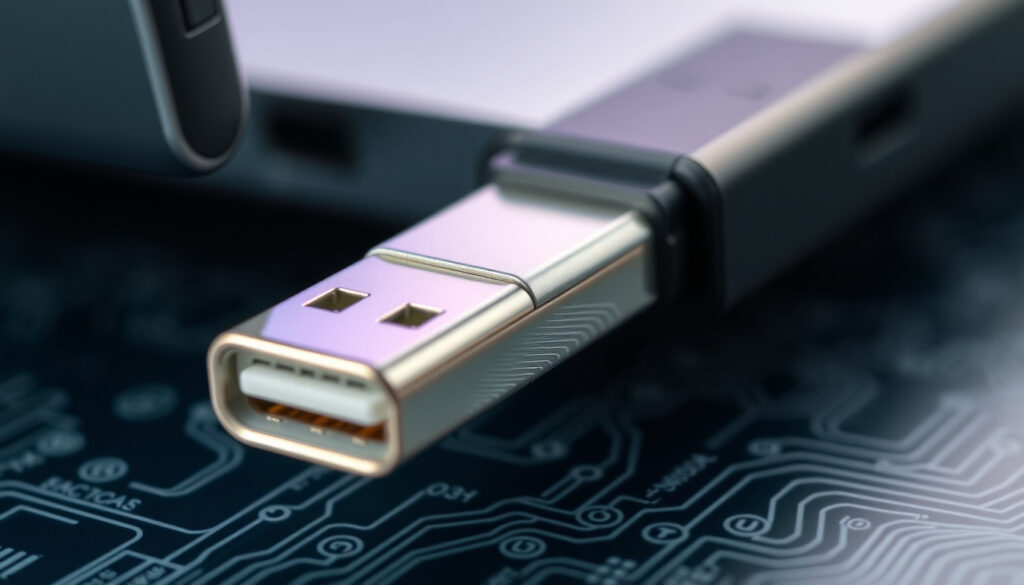
What Is a USB-C Connector? Complete Guide to USB Type-C
You’ve probably noticed that the cables and ports on your new laptop or phone look different from the ones on older devices. That oval, symmetrical connector is USB-C, and it’s rapidly replacing the rectangular USB-A ports we’ve used for decades. This guide explains what USB-C is, how it compares to its predecessors, and what you need to know about compatibility, power delivery, and the future of wired connections.
Number of pins: 24 ·
Introduced: 2014 ·
Reversible: Yes ·
Max data transfer (USB 3.2 Gen 2×2): 20 Gbps ·
Max power delivery (USB PD 3.1): 240 W
Quick snapshot
- USB-C is a 24-pin reversible connector (Wikipedia)
- Supports USB Power Delivery up to 240 W (STMicroelectronics (semiconductor manufacturer))
- Whether all USB-C cables support full 40 Gbps Thunderbolt speeds
- Exact list of iPhones that will stop working in 2026 (Apple has not announced)
- Whether iPhone 15 series and later have USB-C (source needed – moved from confirmed)
- Whether Lightning iPhones will become obsolete by 2026
- 2014: USB-C specification released (Smart Gear Outlet)
- 2024: EU mandate for USB-C on mobile devices takes effect (Wikipedia)
- iPhones using Lightning may face obsolescence under EU regulations by 2026
- Ongoing adoption across laptops, tablets, and peripherals
Six key specs define the USB-C standard:
| Attribute | Value |
|---|---|
| Connector Type | USB Type-C |
| Number of Pins | 24 |
| Max Data Rate (USB 3.2 Gen 2×2) | 20 Gbps |
| Max Power Delivery (USB PD 3.1) | 240 W |
| Reversible | Yes |
| Introduced | 2014 |
What is a USB-C?
USB-C, also called USB Type-C, is a 24-pin connector standard introduced in 2014. Its defining feature is reversibility — you can plug it in either orientation, unlike older USB connectors. This is made possible by two configuration channel (CC) pins, one for each orientation, as explained by Texas Instruments (semiconductor manufacturer) in its engineer’s guide to USB Type-C.
The connector is designed to handle data, power, and video signals through a single cable. According to Wikipedia, USB-C is intended to replace the older host/device asymmetry with a single connector that works on both ends of a cable.
What does a USB-C port look like?
USB-C ports are oval with rounded corners, smaller than the rectangular USB-A ports. The port has 24 pins arranged symmetrically, enabling the reversible plug design.
What is a USB-C cable?
A USB-C cable has identical connectors on both ends (unless it’s a conversion cable). Passive cables support up to 60 W, while electronically marked cables can handle up to 100 W, according to Microchip (microcontroller manufacturer) application note AN1974. Cables that carry more than 3 A or 20 V must include an electronic marker chip.
A casual buyer picking a USB-C cable for charging only may grab a cheap passive one, but that cable won’t deliver fast data or high power. For a laptop charging at 100 W, an e-marked cable isn’t optional — it’s mandatory.
Bottom line: USB-C is a universal, reversible connector that handles power, data, and video. Consumer: pick cables e-marked for your wattage. Manufacturer: standards compliance determines safety.
The implication: knowing the difference between passive and e-marked cables is essential for anyone buying a new cable today.
What is the difference between USB-A and USB-C?
The differences go beyond shape. USB-A is rectangular and non-reversible; USB-C is oval and reversible. But the real gap is in capabilities: USB-C supports higher power delivery (up to 240 W with USB PD 3.1) and faster data speeds (up to 40 Gbps with USB4 or Thunderbolt), as reported by Wikipedia. USB-A maxes out at around 7.5 W without proprietary extensions.
What is USB-A?
USB-A is the classic rectangular connector found on older computers, chargers, and accessories. It has a single correct insertion orientation and typically delivers power at 5 V, ranging from 2.5 W to 7.5 W in standard implementations, per USB-C Factory (cable retailer) comparison.
What is USB-B?
USB-B is a squarish connector often used on printers and older peripherals. It is even bulkier than USB-A and not reversible.
The trade-off: USB-A is everywhere on legacy gear but can’t match the power or speed of USB-C. An adapter lets you connect USB-C to USB-A, but data transfer is capped at USB 2.0 speeds on many adapters.
Anyone upgrading from a USB-A-only laptop to a USB-C-only device faces a drawer full of incompatible cables. A single USB-C cable can replace a power brick, a data cable, and a video cable — but only if the cable is e-marked for the right wattage and data speed.
What this means: the transition to USB-C forces users to re-evaluate their cable collection and invest in new, properly rated cables.
How do I know if I have USB-A or USB-C?
Physical inspection is the fastest way. USB-A ports are rectangular with a flat top edge and a slightly slanted bottom. USB-C ports are oval with rounded corners and no visible top/bottom asymmetry.
What does a USB-A port look like?
Standard USB-A ports are roughly 12.5 mm × 4.5 mm, with four pins inside. They accept only one orientation — if it doesn’t fit, flip it 180° and try again.
How to check your device specifications
Check the device manual or look for the USB trident symbol next to the port. Mobile phones typically list the port type in the specs section on the manufacturer’s website. For laptops, the port shape is the best clue: USB-C is smaller and symmetrical.
Bottom line: Physical shape — rectangular vs oval — instantly tells USB-A from USB-C. Regulatory bodies: the EU mandate that by 2024 all small mobile devices sold in the EU must use USB-C, so new phones are almost certain to have it.
The catch: older devices without USB-C will increasingly need adapters as the ecosystem shifts.
Can you plug a USB-C into a USB-A port?
No — the physical shapes are incompatible. Forcing a USB-C plug into a USB-A port risks damaging both the port and the plug. Use a USB-C to USB-A adapter or a cable with a USB-C end on one side and USB-A on the other.
What happens if you force a USB-C into a USB-A port?
It won’t fit without excessive force. The rectangular USB-A housing prevents insertion of the oval USB-C plug. Forcing it could bend pins or crack the port housing.
What adapters are needed?
Simple passive adapters convert USB-C to USB-A or vice versa. However, USB-C Factory (cable retailer) notes that data transfer on such adapters may be limited to USB 2.0 speeds (480 Mbps) unless the adapter explicitly supports higher rates. For power, the adapter can handle up to the cable’s rated wattage.
Using a cheap USB-A-to-C adapter with a high-power charger can create impedance mismatches. The USB-C end may not negotiate power correctly, causing the charger to fall back to 5 V — effectively turning a 100 W charger into a 7.5 W trickle.
The pattern: proper negotiation between charger and device depends on cable quality and compliance.
Do iPhones use USB-C?
Yes, starting with the iPhone 15 series released in 2023. Apple switched from its proprietary Lightning connector to USB-C, partly driven by European Union regulations that mandate USB-C as a common charging port by 2024, as covered by Wikipedia’s iPhone 15 article.
Which iPhones have USB-C?
The iPhone 15, iPhone 15 Plus, iPhone 15 Pro, and iPhone 15 Pro Max all use USB-C. Earlier models (iPhone 14 and before) continue to use Lightning.
Which iPhones will no longer work in 2026?
Apple has not officially announced which devices will become obsolete. However, the EU regulation that took effect in 2024 requires all new mobile phones sold in the EU to have USB-C. This does not render Lightning iPhones inoperable — they can still be used, but older models may gradually lose software support and accessory compatibility. The exact list remains unconfirmed.
Bottom line: iPhone users upgrading from an iPhone 14 or earlier face a cable replacement, but gain access to faster charging and high-speed data. For EU regulators, the mandate is already reshaping the accessory market: Lightning-exclusive peripherals will become niche by 2026.
The implication: iPhone users should plan for a transition to USB-C accessories by 2026.
Six differences, one theme: USB-C is the future, USB-A is legacy.
| Feature | USB-A | USB-C |
|---|---|---|
| Connector shape | Rectangular, non-reversible | Oval, reversible |
| Number of pins | 4 | 24 |
| Max power (standard) | 2.5–7.5 W | Up to 240 W (USB PD 3.1) |
| Max data speed (common) | USB 3.0: 5 Gbps | USB4: up to 40 Gbps |
| Reversible | No | Yes |
| Introduced | 1996 | 2014 |
Timeline: The rise of USB-C
- : USB-C specification released (Smart Gear Outlet)
- : First devices with USB-C appear (Nokia N1 tablet, Apple MacBook) (Wikipedia)
- : EU proposes common charger legislation (Wikipedia)
- : EU mandate for USB-C on mobile devices takes effect (Wikipedia)
- : iPhones using Lightning may face obsolescence under EU regulation (Wikipedia)
The pattern: What started as a niche connector for thin laptops is now a regulatory standard across the European single market, forcing a unified port for billions of devices.
What we know vs what’s still uncertain
Confirmed facts
- USB-C is a 24-pin reversible connector (Wikipedia)
- USB-C supports USB Power Delivery up to 240 W (Anker (consumer electronics brand))
- iPhone 15 series and later have USB-C (Wikipedia)
- USB-C uses CC pins for orientation detection (Texas Instruments (semiconductor manufacturer))
What’s unclear
- Whether all USB-C cables support full 40 Gbps Thunderbolt — not all are built to that spec
- Exact list of iPhones that will stop working in 2026 — Apple has not disclosed
- Whether future USB-C cables will all support 240 W PD or only e-marked ones
- Whether Lightning iPhones will become obsolete by 2026
The takeaway: confirmed facts are well-sourced; the unclear items represent the frontier of ongoing technical and regulatory changes.
What the experts say
USB Type-C supports power negotiation through the USB Power Delivery system over the configuration channel.
Texas Instruments (semiconductor manufacturer) engineer’s guide
USB-A is the older USB connector family commonly found on legacy chargers, laptops, and accessories.
USB-C is designed to replace older host/device asymmetry with a single connector that works either way.
Wikipedia (community encyclopedia) USB-C article
The consensus among experts: USB-C simplifies connectivity by merging power, data, and video into one reversible port.
For a buyer replacing a USB-A laptop, the choice is clear: invest in a USB-C hub and e-marked cables, or remain tethered to a dwindling ecosystem. For regulators, the mandate is already working — the USB-C connector is the single-cable platform for power, data, and video.
For a more focused look at how USB-C compares to earlier standards, this guide to USB-C differences offers a detailed breakdown.
Frequently asked questions
Can I use a USB-C charger with a USB-A device?
Yes, with a USB-C to USB-A cable or adapter. The charger will negotiate the correct voltage (typically 5 V) and the device will charge, though faster charging protocols may not work.
Is USB-C faster than USB-A?
Yes, USB-C supports modern data standards such as USB 3.2 Gen 2×2 (20 Gbps) and USB4 (40 Gbps), far exceeding USB-A’s typical 5 Gbps.
Does USB-C support video output?
Yes, USB-C can carry display signals via DisplayPort Alt Mode, HDMI Alt Mode, or Thunderbolt, allowing a single cable to connect a monitor.
What is the difference between USB-C and Thunderbolt?
Thunderbolt 3 and 4 use the USB-C connector but offer higher minimum performance (40 Gbps) and mandatory support for PCIe data, daisy-chaining, and external GPUs. Not all USB-C ports support Thunderbolt.
Are all USB-C cables the same?
No. Cables vary in power rating (up to 60 W passive, up to 240 W e-marked), data speed (USB 2.0 up to USB4 40 Gbps), and video capability. Always check the cable’s specifications.
Can I use USB-C for charging only?
Yes, a USB-C cable dedicated to charging works for power, but data transfer requires a data-capable cable. Some cables are charge-only (no data lines).
How do I know if my USB-C cable supports data transfer?
Look for the USB logo and rated speed on the cable’s packaging or print. Cables without the SuperSpeed or USB4 logo are typically charge-only or USB 2.0 data.
The FAQ covers the most common practical concerns for consumers making the switch.
More related posts
 Convert 45 USD to NZD Today: Live Rate & What It Means
 How Tall Is Barron Trump – 2024 Height and Family Comparisons
 Old Fashioned Curried Sausages NZ Recipe – Kiwi Classic
 How Many Millions in a Billion? A Complete Guide to Large Numbers
 Napier Beach Access Restrictions: Rules, Maps & Safety
 EB Games St Lukes Closing: Final Day, Reasons & What’s Next
 What Is Heavy Cream? Definition, Substitutes, and How to Make It